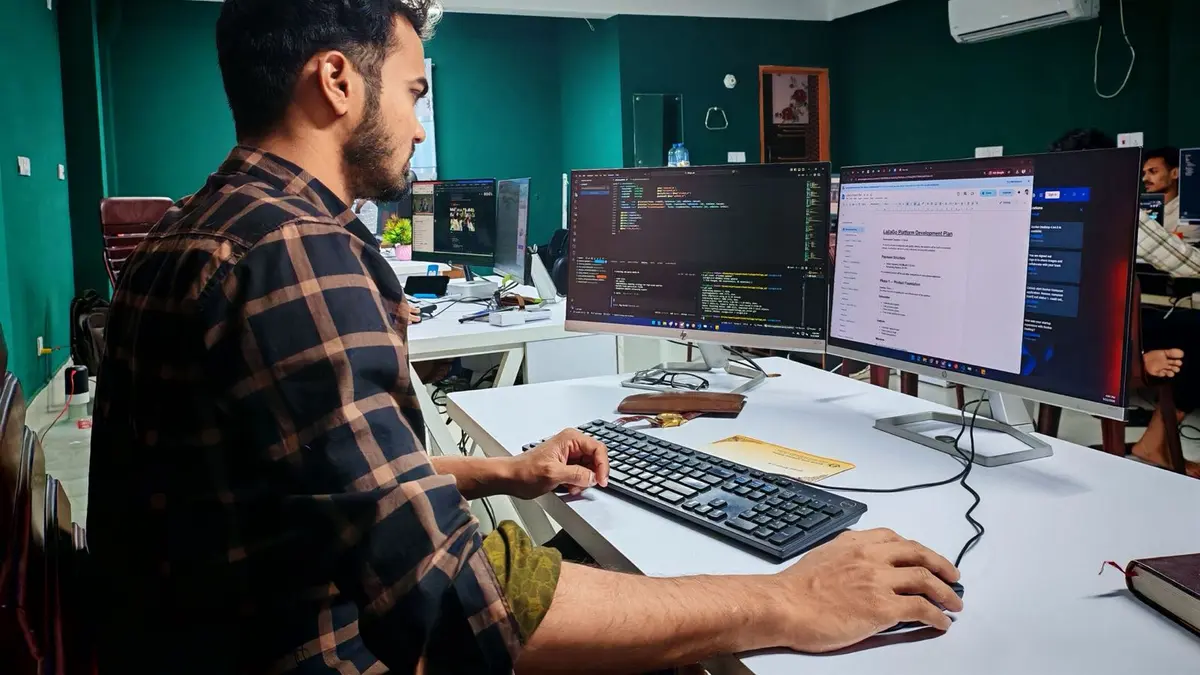
What are the duties of an IT support executive?
An IT support executive keeps employees working by fixing everyday technology problems. They set up laptops and desktops, install licensed software, create and disable user accounts, troubleshoot email, Wi-Fi, printers and VPN, log every request in a ticketing tool, escalate network, server or vendor issues, keep the IT asset register up to date, and check backups and antivirus status. A clear JD also states the sites covered, shift timings, travel and pay.
Copy-ready job description
Replace every [placeholder] before sending. Copy the text or download it as a .txt file and paste it into your letterhead or email.
Job Title: IT Support Executive – [Desktop Support / Helpdesk / L1 Support] ([Full-time / Internship])
Company: [Company Name] – [industry], about [Number] employees across [Number] [offices / branches / plants]
Location: [Office Address, City]; travel to [branches / client sites in City or Region]: [Yes / No], with [conveyance reimbursement as per policy]
Shift: [General shift, Start Time–End Time / Rotational shifts including nights], [Number] days a week; weekly off on [Day / rotational basis]
Compensation: CTC ₹[Amount] per annum [or stipend ₹[Amount] per month for interns]
Reports to: [IT Manager / System Administrator Name]

About the role
You will be the first point of contact for [Number] colleagues who rely on laptops, email, printers and business software every day. Your aim is to fix problems quickly, explain the fix in plain language and keep accurate records of every device and request.

Key responsibilities
- Log, prioritise and resolve requests in [ticketing tool / helpdesk mailbox] within agreed response times; escalate network, server and vendor issues to [Team or Vendor] with clear notes.
- Set up new laptops and desktops with the operating system, licensed software, email, VPN, printers and security settings; collect and securely wipe devices when people leave.
- Create, update and disable user accounts in [Microsoft 365 / Google Workspace / Active Directory] on the day someone joins or exits, and set up multi-factor authentication.
- Troubleshoot Windows [and macOS / Linux] problems, Wi-Fi and LAN connectivity, printers and scanners, meeting-room equipment and [biometric attendance devices / CCTV / Tally or ERP clients].
- Maintain the IT asset register: serial numbers, assigned user, purchase date, warranty and AMC details.
- Check backups, antivirus or endpoint protection and pending updates every day, and report anything unusual.
- Coordinate with vendors and internet service providers on repairs, replacements and line faults.
- Write short how-to guides for common problems and remind colleagues about phishing and password safety.

Requirements
- [Diploma / ITI / BCA / B.Sc IT / B.E. or B.Tech / any graduate with hardware and networking training]; freshers welcome [or [Number] years in desktop support].
- Working knowledge of Windows, MS Office or Google Workspace, PC hardware and basic networking: IP addressing, DHCP, DNS, routers and switches.
- Clear spoken [English / Hindi / Regional Language] and a patient, polite manner with non-technical users.
- Able to lift and move equipment, and available for [after-hours maintenance / Saturday shifts] when scheduled.
- [Own two-wheeler and valid driving licence, only if the role involves field travel].

Good to have
[CompTIA A+ / CCNA / ITIL Foundation / Microsoft certification], experience with remote-support tools, and basic PowerShell or Bash scripting.

What we offer
[Training on our systems], [benefits as per company policy], [mobile and travel reimbursement] and growth to [System Administrator / Network Engineer / IT Manager].

How to apply
Apply on MyInternships.in with your resume. Selection: [phone screening] → [hands-on troubleshooting test] → [interview with the IT manager]. We never charge candidates a fee for applying, tests or interviews.
This template is general guidance for employers in India, not legal advice. Adapt it to your company policies, the offer you actually made and the rules that apply to your organisation, and have contracts reviewed by a qualified adviser.
Adapting the JD for interns, freshers and experienced IT support staff
One title covers very different jobs: a helpdesk seat in a large company, the only IT person in a small office, or a field engineer who visits branches. Name your situation in the first lines of the JD, then match the requirements to the level you can train.
| Level | Typical scope | Ask for | Do not demand |
|---|---|---|---|
| Intern (diploma, BCA or B.Sc IT student) | Device set-up, asset tagging, first-level tickets under supervision | Hardware basics, eagerness to learn, clear communication | Certifications, server experience |
| Fresher on an L1 helpdesk | Password resets, email and printer issues, ticket logging, escalation | Windows and networking basics, a passed bench test, patience on calls | Years of experience or vendor certifications |
| Experienced desktop support (L2) | Device imaging, Active Directory or Microsoft 365 administration, network faults, vendor follow-up | Proven ticket handling, scripting basics, good documentation | Unrelated programming skills |
| Sole IT person in a small office | Everything from laptops and the internet line to backups, CCTV and software licences | Breadth, judgement, vendor coordination, budget sense | Deep specialisation in one area |
Screening questions for IT support candidates
- 'A user says the internet is not working. Walk me through your first checks.' Strong answers ask whether others are affected, check the cable or Wi-Fi, look at the IP address, ping the gateway and test DNS before calling the ISP.
- 'A senior manager's laptop has been stolen. What do you do in the first hour?' Look for resetting or disabling the account, signing out active sessions, a remote wipe where possible, informing security and management, and updating the asset register.
- 'Someone calls claiming to be a director and wants an urgent password reset. What do you do?' The right answer is to verify identity through a known channel, however much pressure the caller applies.
- 'The whole accounts team cannot open the billing software, and the CEO's printer is jammed. Which comes first?' Listen for prioritising business impact while keeping the CEO informed.
- 'A user asks you to install cracked software to save money. How do you respond?' You want a polite, firm no and a short explanation of the legal and security risks.
- 'Tell me about a hardware fault you diagnosed yourself.' Freshers can answer from assembling a PC, repairing a family laptop or college lab work.
A hands-on bench test to run during interviews
Prepare a test laptop or virtual machine with three or four planted faults: a wrong static IP or DNS entry, a missing printer driver, a broken email profile and a nearly full disk. Give the candidate 45 minutes, ask them to think aloud, and have them write a short ticket note for each fix, as if a colleague will pick it up tomorrow.
Add a five-minute role-play in which an interviewer plays a non-technical colleague who needs help setting up multi-factor authentication on their phone. Score both parts on one scorecard: the order of diagnosis, safety (no deleting user data, no switching off security software to make a problem go away), the quality of the notes and how clearly they explain without jargon.
See also: Interview scorecard template Hire IT support engineers
India-specific realities to write into the JD
Office IT in India comes with practical conditions that candidates should know about before they accept. Mention the ones that apply to you.
- Power: UPS batteries, inverters and generator changeovers. Say whether the role includes checking UPS health and shutting down servers safely during long power cuts.
- Connectivity: broadband, leased lines and a backup connection from a second provider, with the executive as the contact for ISP complaints.
- Branches and field visits: if the role covers several offices or client sites, state the travel area, the conveyance policy and whether a two-wheeler is needed.
- Licensed software only: unlicensed copies expose the company to copyright claims and malware, so make licence tracking part of the job.
- E-waste: wipe old laptops, drives and batteries and hand them only to a registered e-waste recycler or refurbisher. The E-Waste (Management) Rules place duties on many businesses, so check how they apply to you.
- Incidents and personal data: CERT-In's directions require certain cyber security incidents to be reported quickly, and staff devices hold personal data covered by the Digital Personal Data Protection Act, 2023. Name the person the executive reports suspected breaches to.
See also: Internship NDA template
Posting your IT support opening on MyInternships.in
In the AI hiring assistant at /hire-talent#post-internship, describe the role in a few lines: the level, the systems you support, locations and travel, the shift pattern and pay. It drafts the title, description and skills list in about two minutes, and the live preview lets you edit that draft against this JD before submitting. MyInternships.in verifies every company before a listing goes live, and both internships and fresher jobs can be posted for any Indian city.
IT support is usually hired close to the office, so set the city precisely and mention any field travel. To find people directly, search the candidate database in plain English, for example a diploma holder in Pune with hardware and networking skills, then unlock the profiles that fit. The plans table on this page compares what each plan includes.
See also: Post an IT support role See plans Search IT support candidates Hire interns for small businesses
Frequently asked questions
What is the difference between an IT support executive and a system administrator?
An IT support executive works mainly with users and their devices: laptops, accounts, printers, email and first-level troubleshooting. A system administrator looks after the systems behind them, such as servers, directory services, backups, firewalls and access policies. In small companies one person often does both, so list the actual duties instead of relying on the title.
What qualification is needed for an IT support executive job?
A diploma or ITI in computer hardware and networking, BCA, B.Sc IT or an engineering degree are all common routes, and many capable candidates add a short hardware and networking course. Ask for the skills the job needs, such as Windows troubleshooting, basic networking and clear communication, and confirm them with a practical test rather than certificates alone.
What do L1, L2 and L3 support mean?
L1 is first-level support: logging tickets, password resets, common software and printer issues, and applying known fixes. L2 handles problems that need deeper skills, such as device imaging, directory and email administration or network faults. L3 covers specialists and vendors for servers, complex networks or business applications. State which level the role covers and where it escalates.
Can freshers do IT support jobs?
Yes. L1 helpdesk and desktop support are common entry points into an IT career. A fresher with sound hardware and networking basics, patience and good communication can handle most first-level tickets after a few weeks of training. Pair them with a senior, give them a list of known fixes and escalation contacts, and review their ticket notes regularly at the start.
Should an IT support JD mention travel to branches or client sites?
Always, because travel changes who can accept the job. State the area covered, how often visits happen, whether a two-wheeler and licence are required and how fuel or conveyance is reimbursed as per your policy. If staff carry company laptops or spare parts between sites, explain who is responsible for them in transit.
Which certifications should we ask for?
For most IT support roles, list certifications as a plus rather than a requirement. CompTIA A+ covers hardware and operating systems, CCNA covers networking and ITIL Foundation covers service management processes. Vendor certifications for Microsoft 365 or Google Workspace help in cloud-heavy offices. A short bench test shows far better than any certificate whether someone can fix a laptop.
Can IT support executives work remotely?
Partly. Account management, email issues and many software problems can be handled with remote-support tools, so a hybrid or remote helpdesk can work for spread-out teams. Hardware, printers, networks and new-joiner set-ups still need someone on site. If you hire remotely, define which locations need on-site visits and how quickly someone must reach them.
What tools does an IT support executive use?
Typically a ticketing or IT service management tool, remote-support software, an admin console for Microsoft 365, Google Workspace or Active Directory, imaging or deployment tools, an endpoint protection console and simple network testers. Name your tools in the JD, but expect to train freshers on them; troubleshooting skill transfers from one tool to another.
Should IT support handle CCTV, biometric attendance and other office equipment?
In many Indian offices the IT executive is also the person people call about CCTV recorders, biometric attendance machines, projectors and intercoms. If you expect that, say so in the JD and the interview, and arrange vendor training. Leaving it unstated causes friction later, especially when the equipment is covered by a separate vendor's AMC.
Can we hire IT support interns?
Yes. Diploma, BCA and B.Sc IT students can help with device set-up, asset tagging, software installation and first-level tickets under supervision. Give them a named supervisor, limited admin rights and a checklist of tasks they may do alone. Pay a fixed monthly stipend, keep hours compatible with college and issue an internship certificate at the end.
What security duties should an IT support executive have?
Make security part of everyday work: disabling accounts on the day someone leaves, enforcing multi-factor authentication, keeping operating systems and antivirus updated, checking backups, verifying identity before password resets, and reporting phishing or suspected breaches at once to a named owner. These routine habits close many of the gaps that attackers rely on.
Plans and pricing for employers
- 1 internship or job listing
- Live for 30 days once approved
- Reviewed by our team, live within 2 working days
- Only for paid roles offering ₹8,000/month or more
- Applicant contact details and resumes need an upgrade
- 5 internship or job postings
- Goes live instantly after company verification
- Full applicant contact details and resumes
- Email support
- 15 internship or job postings
- Goes live instantly after company verification
- Priority support and AI candidate matching
- Full applicant contact details and resumes
- Custom volume hiring and campus drives
- Unlimited resumes
- Dedicated sourcing team
- SLA and GST invoice
Prefer to search candidates yourself? The candidate database lets you search, then unlock resumes and contact details with credit packs of ₹999 (incl. GST) or ₹1,999 (incl. GST), each valid for 30 days. Describe the role in plain English and the AI ranks matching candidates.
Prices in INR as of 21 November 2026. Pay securely by Razorpay; a GST invoice is issued for every paid plan (add your GSTIN at checkout). Enterprise pricing on request.
Post your IT support executive role
Tell the MyInternships.in AI hiring assistant about the level, systems, locations, shifts and pay, check its draft in the live preview, and publish once your company is verified.